If you want to take application / registration or any type of fees from events joining your festival or season then you need to set up the $Money tab in your festival/season management dashboard.
It’s best to do this after you have created all your forms in Info Collection.
Go to the $Money tab
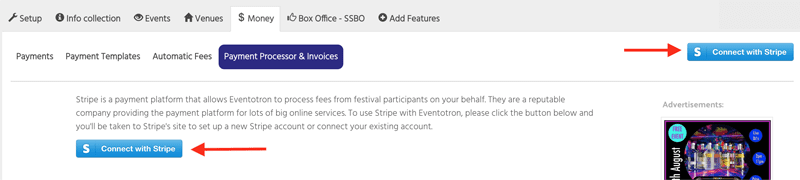
Eventotron uses the payment processor Stripe – make sure you have connected to your Stripe account (use the button indicated to connect to an existing Stripe account or to set up a new account)
Once connected, flip Accept Payments to YES
Create Invoices – if you want event managers to be able to download an invoice or receipt for their payment then flip this to YES
Show Net Total – flip to YES to have this appear on invoices/receipts
Show bank details – flip to YES if you want to include your festival/season bank details on invoices.
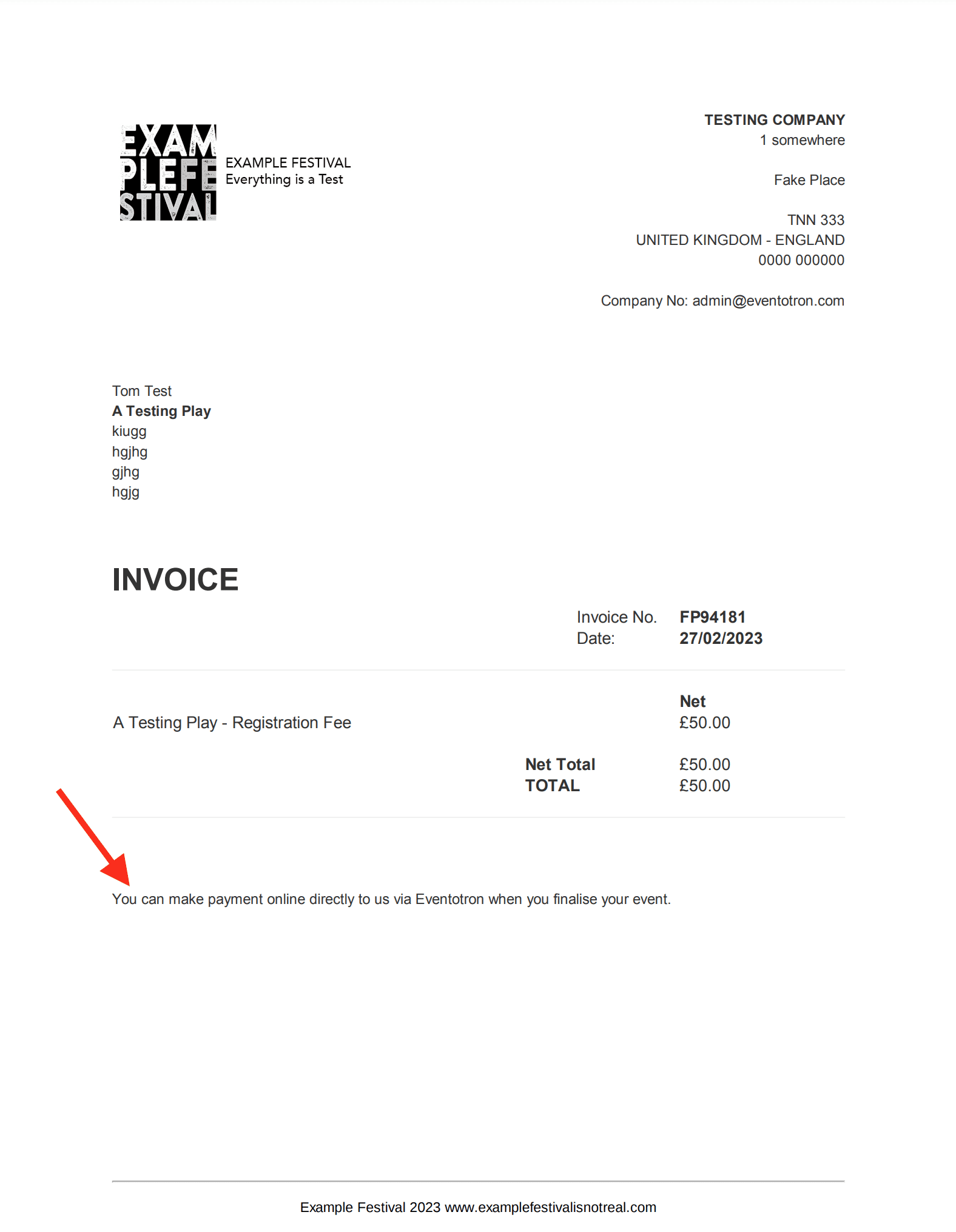
Payment Notes – this will appear near the bottom of the invoice, eg:
Document Footer – enter the information you’d like to appear in the footer of your invoice/receipt
Company Letterhead – Upload an image to appear at the top of your invoices/receipts. Your image will be converted to a .jpg measuring 550 pixels wide by 280 pixels tall. Once uploaded, you can click on the pencil icon to resize or crop your image.