Go to the $Money tab and Automatic Fees. You need to have set up your payment templates before you start.
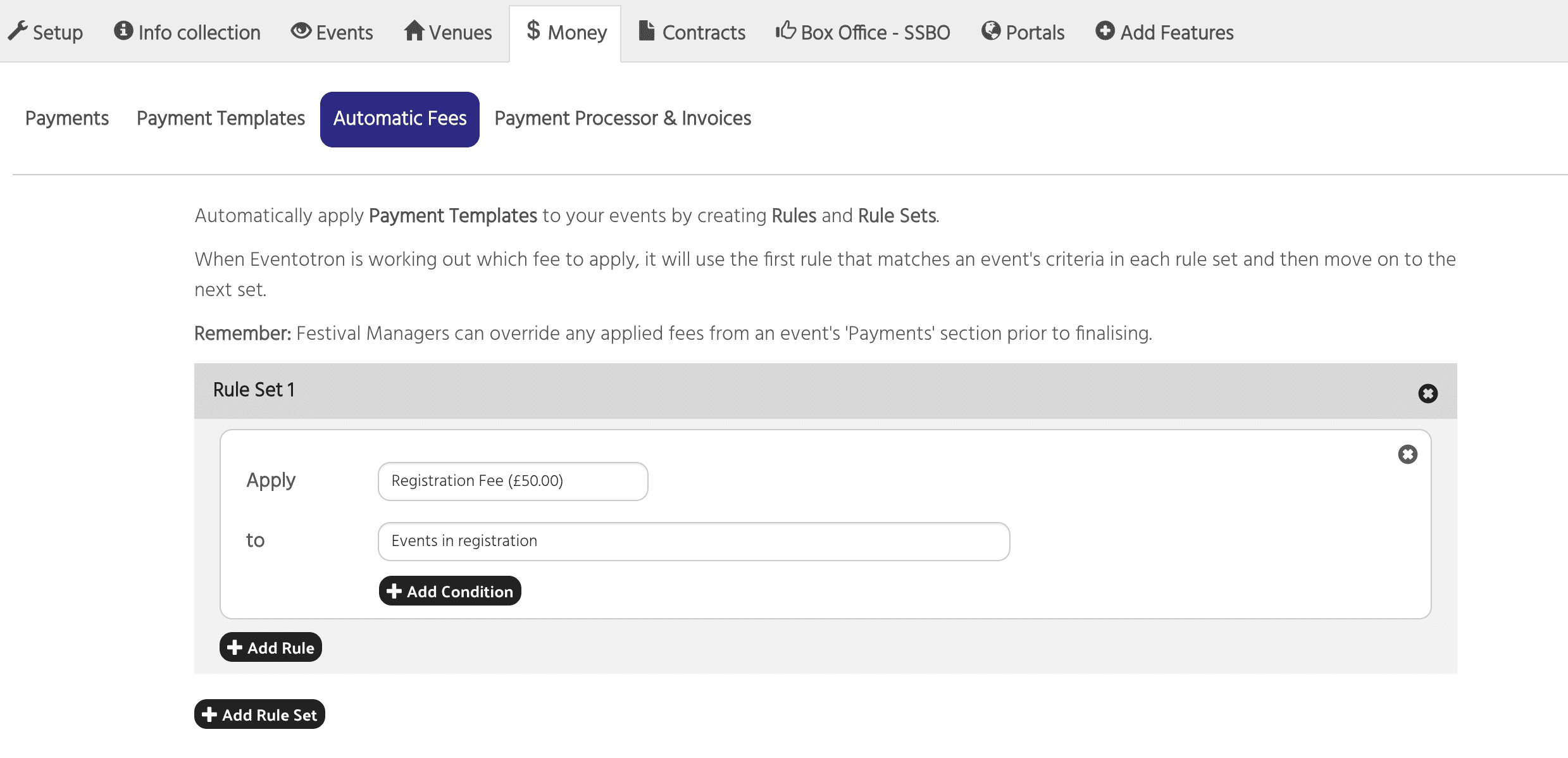
Here you apply the payment template to your events by creating Rules and Rule Sets.
When Eventotron is working out which fee to apply, it will use the first rule that matches an event’s criteria in each rule set and then move on to the next set.
Remember: Festival Managers can override any applied fees from an event’s ‘Payments’ section prior to finalising.
Click Add Rule Set
Apply – choose your Registration Fee payment template from the dropdown
To – choose whether to apply the payment template to Events in registration, Events in application or Venues. In this example we are applying the payment to events in registration
This saves and means the Registration Fee will be applied to all events in registration and automatically taken at the point they finalise
You can add conditions to a rule set. For example, if you only want to apply the registration fee to events with the genre Comedy, then you’d click +Add Condition
Next to If select Genre from the dropdown, choose EQUALS and then select Comedy from the dropdown:
You can add conditions based on any of your questions in Info Collection. If you want to take a payment based on something specific then make sure you have a question for it so you can add it as a condition.
If you have a payment template that is to be applied to events in registration based on different criteria to your first rule set then Add a new Rule Set
For example, you might have fees for brochure entries. Make sure you have these set up in your Payment Templates.
Click +Add Rule Set
Apply – choose the standard brochure listing
To – events in registration
Add condition
If – Brochure listing type equals standard brochure listing
You can add more rules to the Rule Set
click +Add Rule
Apply – choose half page brochure listing
To – events in registration
Add condition
If – Brochure listing type equals half page brochure listing
When Eventotron is working out which fee to apply, it will use the first rule that matches an event’s criteria in each rule set and then move on to the next set.
Once you are happy with your payment templates and automatic fee setup you can test they work as expected by creating a test event and trying all the different options to see what appears in the Payments section: